Salesforce Screen Flow enhancements in Spring ’26: A Strategic Guide for ROI-Driven UX

Did you know that nearly 70% of digital transformation initiatives fail to meet their goals due to poor user adoption? In the world of enterprise software, the gap between a powerful backend and an intuitive frontend is often where productivity goes to die. For years, Salesforce administrators and architects have wrestled with a "sterile" user interface that, while functional, lacked the visual cues and branding necessary to drive high engagement. The upcoming Salesforce Screen Flow enhancements in Spring ’26 are set to bridge this gap, transforming how businesses interact with their core data.

The Spring ’26 release is not merely an incremental update; it represents a fundamental shift in the Salesforce philosophy regarding low-code development. By introducing sophisticated messaging components and native branding capabilities, Salesforce is empowering teams to build "app-like" experiences directly within the Flow Builder. This article explores how these updates—specifically the new Message component and advanced styling options—will redefine the standard for user-centric design in the Salesforce ecosystem.

At CodeSierra Tech Private Limited, we view these updates as a critical evolution for our clients. As organizations move toward more automated, AI-driven workflows, the human-to-machine interface (HMI) must become more seamless and informative. This guide provides a deep dive into the Salesforce Screen Flow enhancements in Spring ’26 and explains how your business can leverage them to reduce user error and increase operational velocity.

Maximizing Efficiency with Salesforce Screen Flow enhancements in Spring ’26

The cornerstone of the Spring ’26 update for Flows is the introduction of the Message component. Historically, providing real-time feedback to users within a Screen Flow required complex workarounds, such as using custom Lightning Web Components (LWCs) or relying on post-submission error handling. This often resulted in a disjointed experience where a user would complete a form, hit "Submit," and only then realize they had missed a critical step, such as uploading a receipt or a contract.

Maximizing Efficiency with Salesforce Screen Flow enhancements in Spring ’26

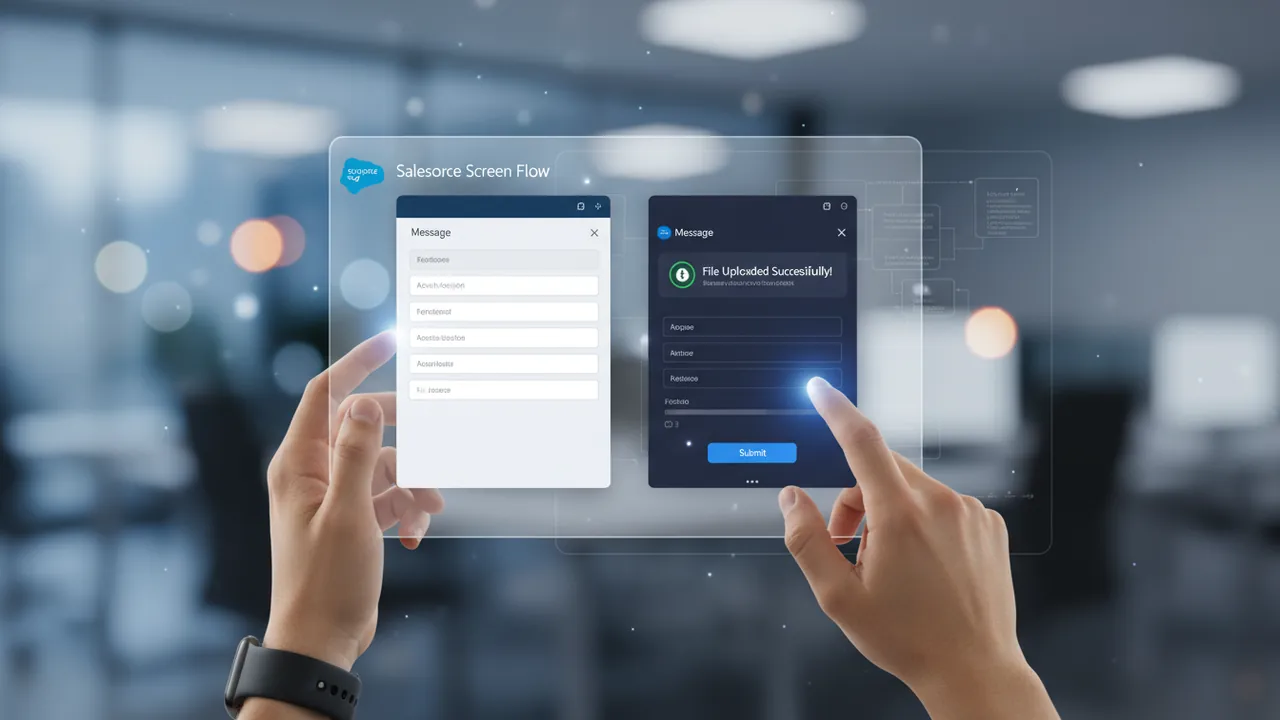
The new Message component changes this paradigm by allowing for proactive validation. By leveraging component visibility rules, administrators can now display dynamic warnings or success messages based on user actions in real-time. For example, in an expense tracking scenario, a warning message can remain visible until a file is successfully uploaded to the "fileNames" property of the upload component. Once the file is detected, the warning vanishes, and a success message appears, providing immediate psychological reinforcement to the user.

"The ability to provide instantaneous, declarative feedback within a Flow screen is a game-changer for data integrity. It moves the validation logic from the end of the process to the exact moment of interaction."

This shift toward inline guidance significantly reduces the "cognitive load" on employees. Instead of memorizing complex business rules, the system guides them through the process. For IT Directors and VPs, this translates directly into fewer support tickets and higher data quality across Sales Cloud and Service Cloud environments.

The Business Case for Branded User Experiences

One of the most frequent complaints from enterprise users is that Salesforce "feels like a database, not a tool." While functionality is paramount, the aesthetic quality of an application directly impacts how users perceive its value. The Salesforce Screen Flow enhancements in Spring ’26 address this by introducing native styling and color customization for Screen Flow components. This allows companies to move away from the "sterile" default look and incorporate their own brand identity.

The Business Case for Branded User Experiences

Why does branding matter in an internal tool? It’s about context and trust. When a Screen Flow matches the corporate identity, it feels like a bespoke solution designed specifically for the employee’s success. It reduces the friction of switching between different corporate applications and reinforces a professional environment. In the Spring ’26 release, we see the following branding capabilities:

  • Custom Color Palettes: Apply brand-specific hex codes to buttons, headers, and progress bars.
  • Dynamic Theming: Change the visual style of components based on the record type or user profile.
  • Enhanced Typography: Greater control over how information is prioritized visually on the screen.

By utilizing these Salesforce Screen Flow enhancements in Spring ’26, businesses can create a more cohesive "Employee Experience" (EX). When employees find their tools visually appealing and easy to navigate, their "Time to Task Completion" (TTC) drops, leading to measurable gains in organizational efficiency.

Visualizing the Reimbursement Process and Lifecycle

Beyond simple data entry, Screen Flows are increasingly used to manage complex lifecycles, such as claim reimbursements, lead conversions, or project milestones. A common pain point for users is the "black box" effect—not knowing where their request stands once it has been submitted. The Spring ’26 updates provide new ways to visually represent these processes natively.

Visualizing the Reimbursement Process and Lifecycle

By integrating the new styling features with existing components like the Stage Indicator, admins can now create high-contrast, color-coded progress bars that clearly communicate the status of a record. For instance, an expense claim could move through "Draft" (Grey), "Submitted" (Blue), "Under Review" (Amber), and "Approved" (Green). This visual feedback loop reduces the need for users to manually check list views or email notifications to track their submissions.

Furthermore, these enhancements play perfectly into the broader Agentforce strategy. As AI agents begin to trigger and interact with Flows, having a clear, structured, and visually validated Flow architecture ensures that both human users and AI agents are operating on the same set of clear, guided instructions. This synergy is essential for companies looking to scale their operations using Data Cloud and Einstein AI.

Technical Considerations for Salesforce Architects

While the Salesforce Screen Flow enhancements in Spring ’26 offer incredible declarative power, they also require a strategic approach to architecture. At CodeSierra, we recommend that our clients consider the following when planning their Spring ’26 upgrades:

  1. Component Reusability: Don't just build one-off branded flows. Use the new styling features to create a "Design System" within your Salesforce org that can be reused across all departments.
  2. Performance Optimization: While the new Message components are powerful, excessive use of complex visibility logic can impact screen load times. Always test your Flows in a Sandbox environment with realistic data volumes.
  3. Accessibility (A11y): When adding color and flair, ensure that you maintain high contrast ratios to support users with visual impairments. Salesforce’s new features generally follow Lightning Design System standards, but custom color choices must be vetted for compliance.

By treating Flow development as a disciplined engineering practice rather than a series of ad-hoc "hacks," businesses can build a scalable automation engine that grows with them. The Spring ’26 release provides the tools; the strategy determines the outcome.

Expert Perspective: The CodeSierra Advantage

At CodeSierra Tech Private Limited, our certified Salesforce Architects and Engineers have spent years helping global enterprises move away from technical debt and toward streamlined automation. We’ve seen firsthand how a poorly designed user interface can derail even the most sophisticated backend logic. Our team specializes in "UX-First" Salesforce development, ensuring that every Flow we build is not only functional but also intuitive and aligned with our clients' brand identities.

We recently helped a manufacturing client overhaul their field service intake process. By implementing early versions of dynamic component visibility—similar to what is now becoming native in Spring ’26—we reduced their data entry error rate by 45%. The Salesforce Screen Flow enhancements in Spring ’26 will allow us to deliver these results even faster, using native tools that are easier for our clients to maintain long-term. Our approach combines deep technical expertise with a focus on business outcomes, ensuring your Salesforce investment delivers maximum ROI.

Frequently Asked Questions

What is the new Message component in Salesforce Spring '26?

The Message component is a new native Screen Flow element that allows administrators to display standardized alert texts (warnings, success messages, or info) directly on a flow screen. It can be combined with conditional visibility to provide real-time feedback to users as they interact with other components on the page.

How do I add brand colors to my Salesforce Screen Flows?

In the Spring '26 release, Salesforce has introduced enhanced styling options within the Flow Builder. Admins can now declaratively set colors for various UI elements, allowing the Flow to match the company’s branding without the need for custom CSS or third-party Lightning Web Components.

Can the Message component replace custom validation rules?

While the Message component provides a better user experience by showing errors before submission, it does not replace the security of backend validation rules. It should be used as a "proactive" layer of guidance, while standard validation rules remain the "reactive" final check for data integrity.

Do these Spring '26 updates work on mobile?

Yes, all Salesforce Screen Flow enhancements in Spring ’26 are designed to be responsive and work seamlessly across the Salesforce Mobile App. This is particularly beneficial for field workers who need clear, visual guidance while capturing data on the go.

What This Means for Your Business

The Salesforce Screen Flow enhancements in Spring ’26 represent a significant opportunity for businesses to recapture lost productivity. By moving away from "sterile" interfaces and toward guided, branded experiences, you can improve user satisfaction and data accuracy simultaneously. To prepare for this release, your leadership team should focus on the following:

  • Identify high-traffic Screen Flows that currently suffer from high user error rates.
  • Define a corporate "Salesforce Brand Guide" to ensure consistent use of color and style.
  • Audit existing "workaround" components that can now be replaced with native Spring '26 features to reduce technical debt.

Ultimately, these updates are about making Salesforce work for the user, rather than making the user work for Salesforce. By embracing these changes, you position your organization at the forefront of the modern, AI-ready enterprise.

CodeSierra Tech Private Limited’s team of certified Salesforce experts is ready to help you implement the Salesforce Screen Flow enhancements in Spring ’26. Our proven approach—from deep-dive requirements discovery to scalable architecture and on-time delivery—ensures your transition to the latest Salesforce features is seamless and high-impact. Whether you are looking to audit your current flows or build a new, branded automation strategy, we provide the expertise needed to drive your digital transformation forward. Ready to get started? Contact us for a free consultation.